Run Your Pickleball Tournament From Registration to Results
Pickleball tournament software for clubs and directors. Bring online registration, Stripe payments, division eligibility, brackets, court assignments, and public results into one workflow.
Create Your TournamentRead the Tournament Director GuideRunning a League? Explore League SoftwareBasic includes one free tournament per club per calendar month, with one event and up to 20 teams. Card processing fees are separate.
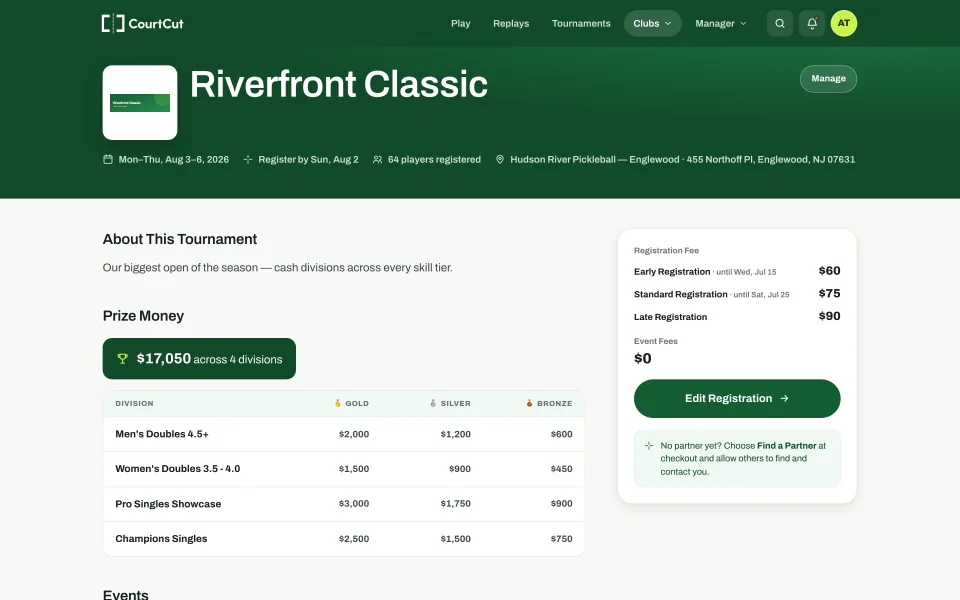
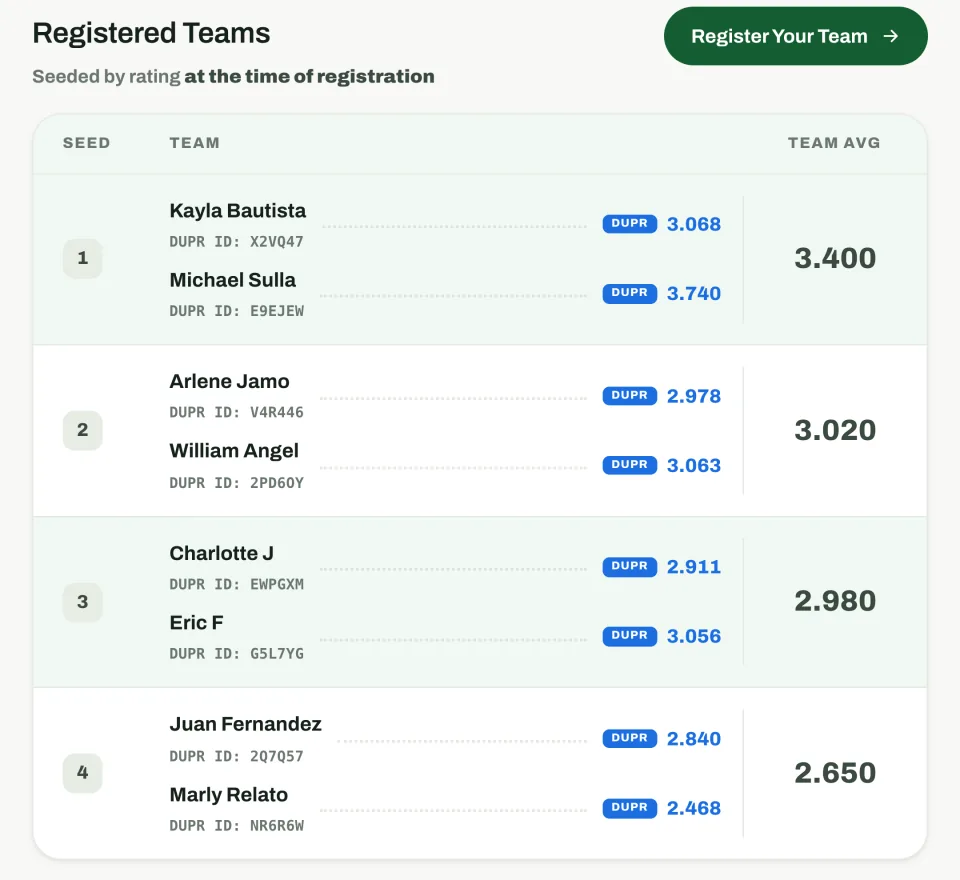
- Clear prize structure
- Early registration discounts
- Player and team ratings
A Public Page Your Players Can Follow
An intuitive, responsive design optimized for the device your players are already holding on the sideline — with all the features you need behind it.
- ✓Built mobile-first. Registration, schedules, live scores, and notifications work on a phone — no app download required.
- ✓Keep the event in view. Players can follow their public bracket from a shared link or QR code.
- ✓Keep registration organized. Review waivers, waitlists, check-in, refunds, and revenue in the director tools.
Before Play: Set Up Registration and Payments
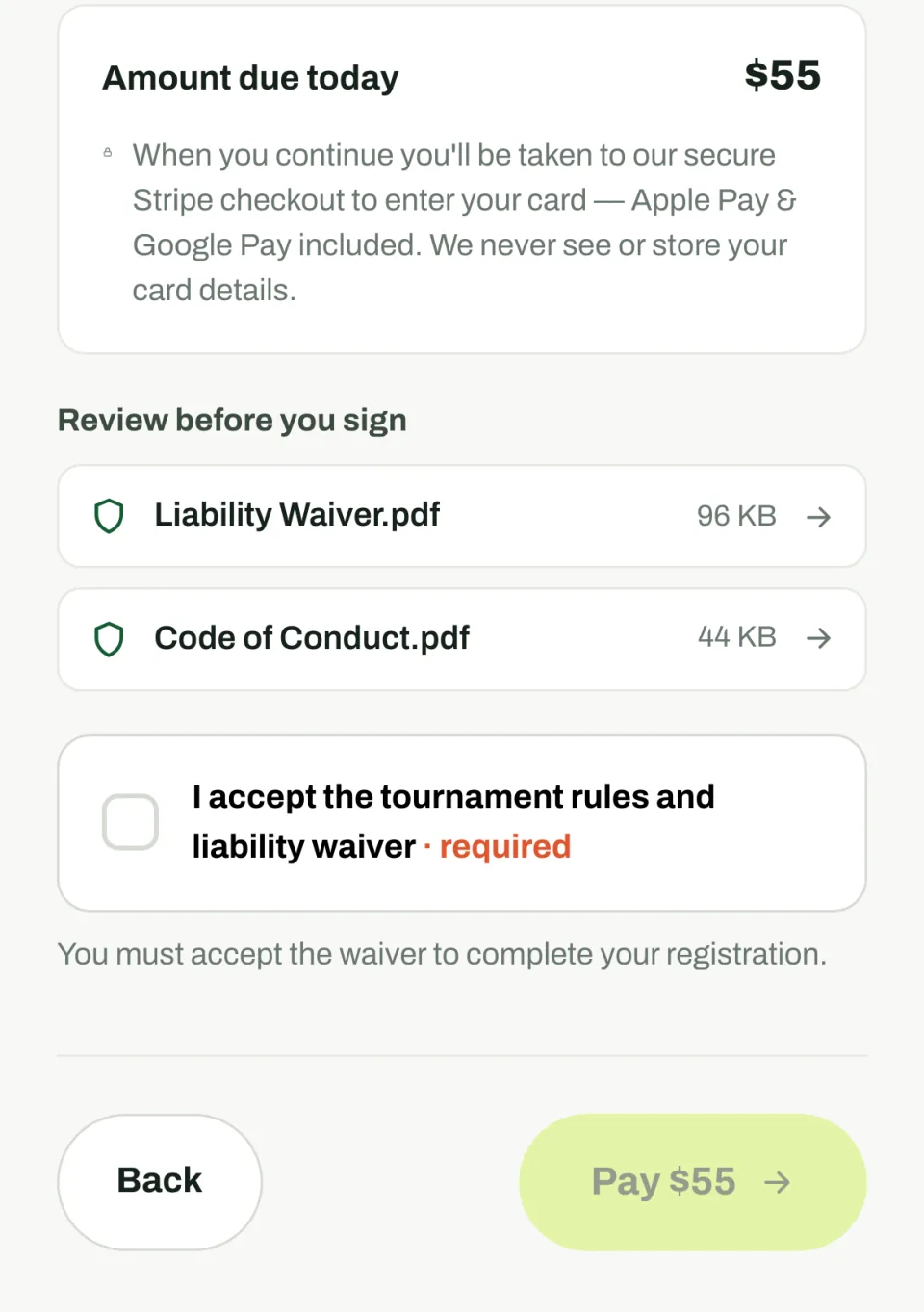
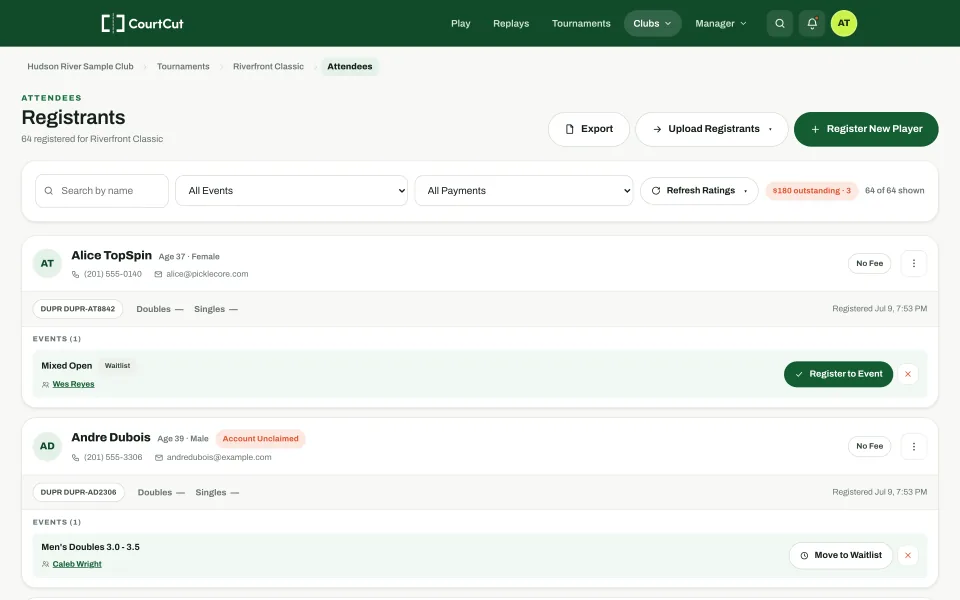
A fully featured online registration flow with payment collection via Stripe. Players pick divisions, find partners, sign waivers, and pay. Directors can review entries and follow up on missing partners or balances.
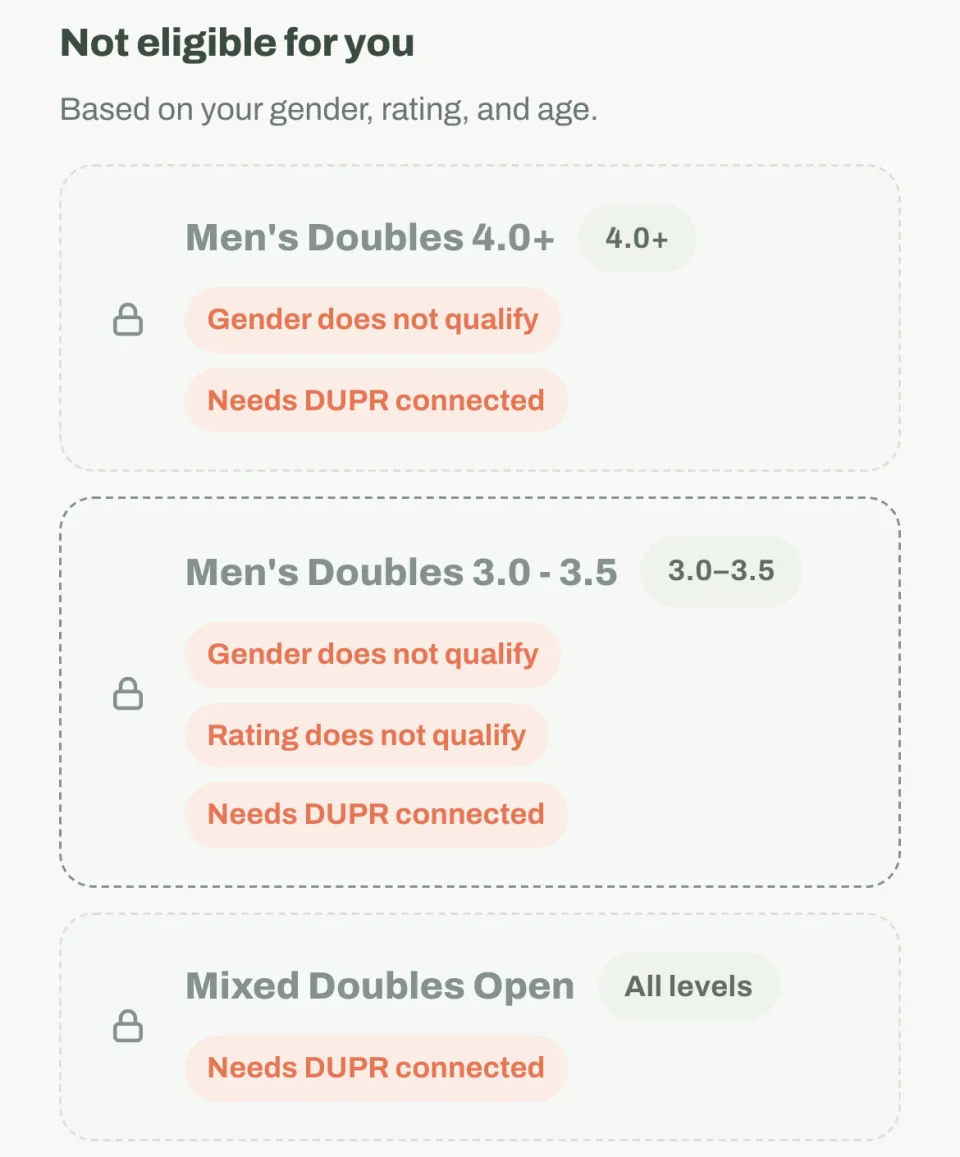
- ✓Restrict entries by average team DUPR. Set a band per division and apply eligibility checks during signup.
- ✓Lock DUPR at the time of entry. Optionally record each player's rating when they register — not whatever it drifts to on the day of the event.
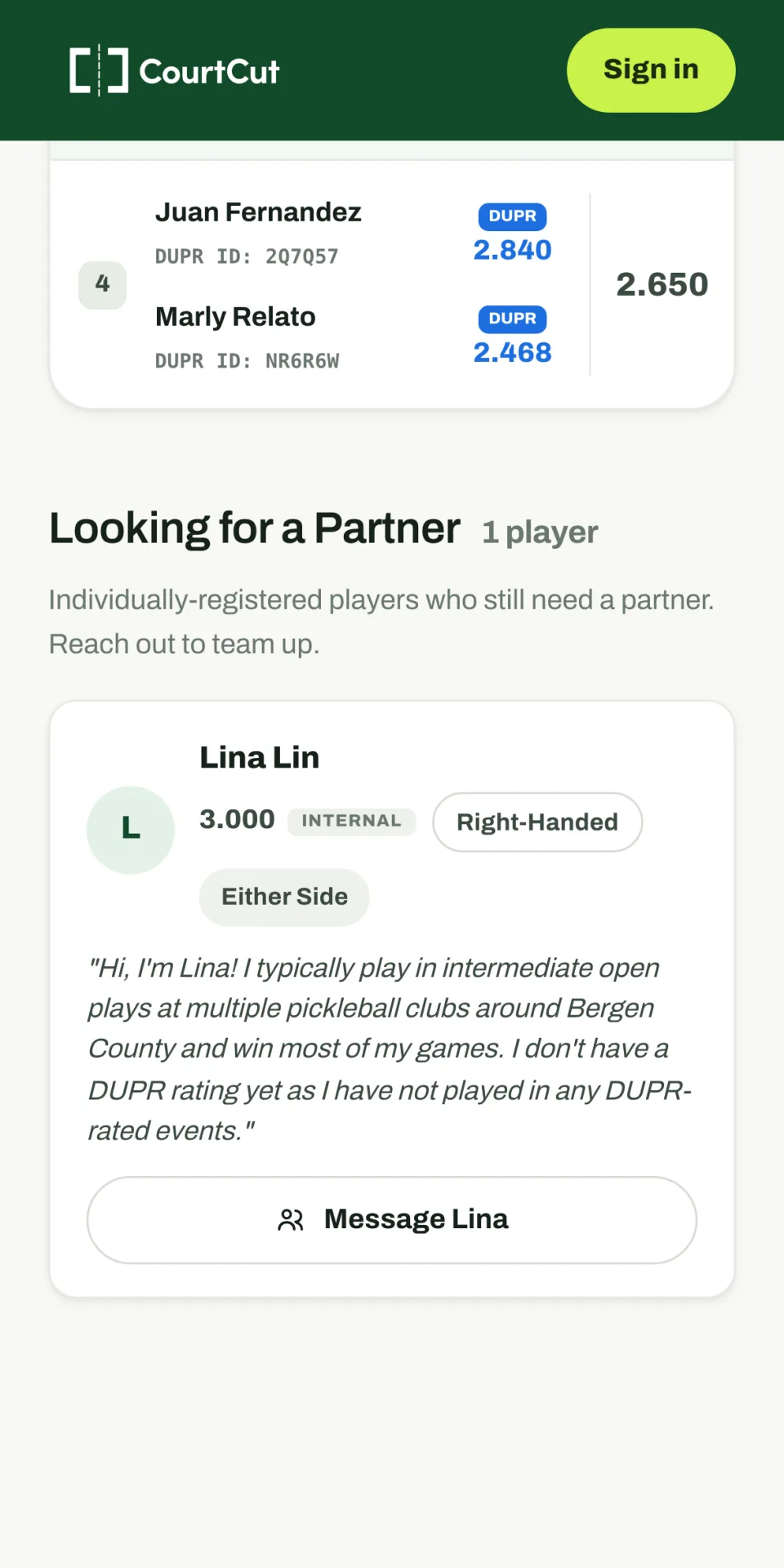
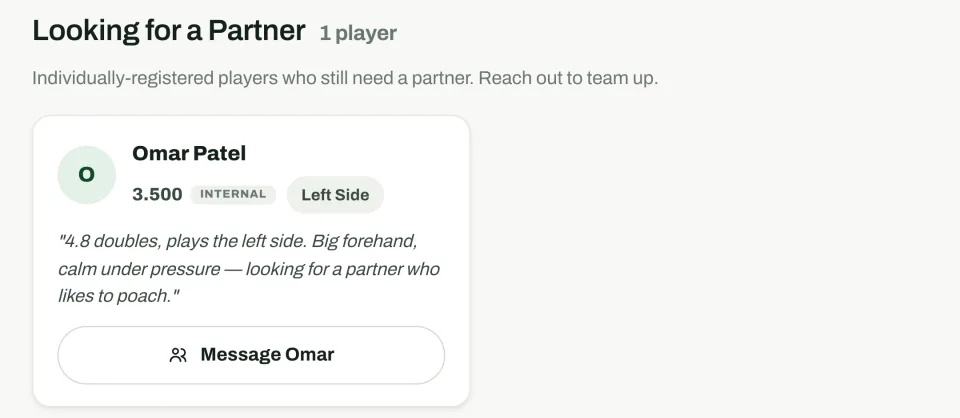
- ✓Smart partner finding. Solo players search by name, DUPR ID, or email — or list themselves publicly so a partner finds them.
- ✓Targeted player communication. Email blasts scoped to specific players or groups — one event, the waitlist, or everyone with a balance due.
During Play: Manage Brackets and Courts
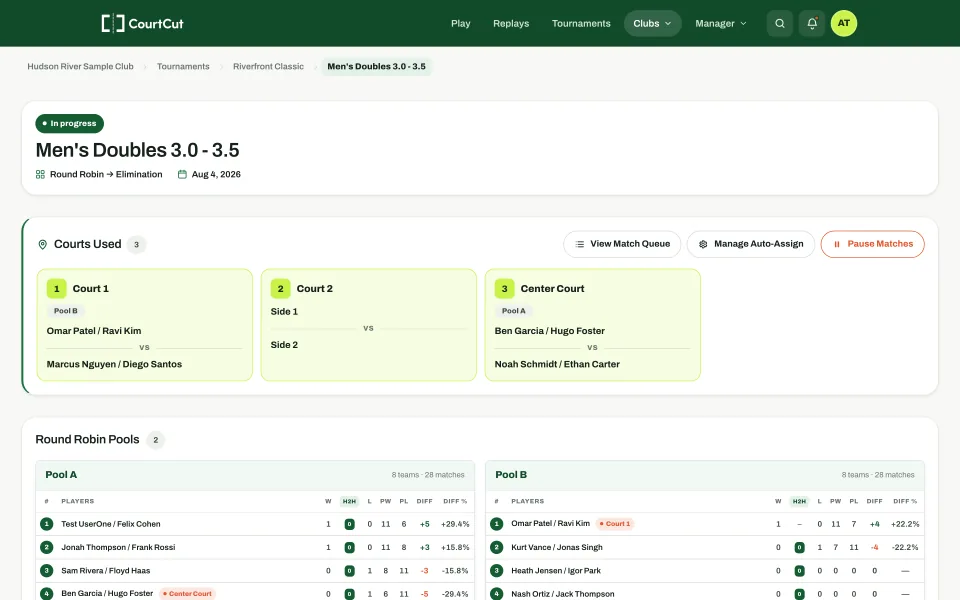
Prepare your draw, follow the match queue, and assign ready matches to courts. Players can follow the public schedule and results while staff manage play.
- ✓Smart auto-assignment. Matches queue across pools of different sizes and can be assigned to available courts, with the match queue keeping upcoming play visible.
- ✓Share court assignments. Match-call notifications help players follow their assignment by SMS and email.
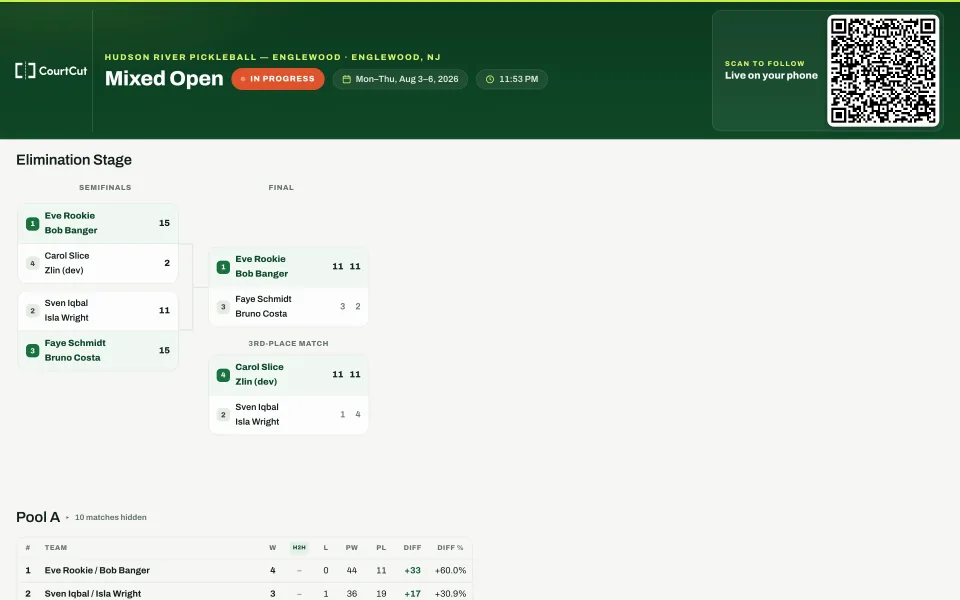
- ✓Live for everyone. Standings, brackets, and scores update in real time on a public page players can follow from their phone.
After Play: Keep Results and Review the Event
Leave public results available for players, review registrations and revenue, and check any DUPR reporting through the configured event workflow. Keep scores, reporting, and payouts as separate steps to verify.
Plan Your Event With the Director ChecklistChoose the Plan for Your Tournament
Start with Basic for a small tournament. Premium supports more divisions and larger draws. Review the current platform fees below and the terms shown during setup.
Basic
- ✓1 tournament per club per calendar month
- ✓1 event, up to 20 teams
- ✓Registration, payments, brackets, and player communication
The monthly allowance uses the UTC calendar month. Card processing fees and additional paid features are separate.
Premium
- ✓Multiple divisions and larger draws
- ✓Director tools for registration and event operations
- ✓Pass fees to players or absorb them — your call
Credit card processing fees not included. Additional fees for premium features apply.
Questions Before You Start
Can I Start With a Free Tournament?
Basic includes one tournament per club per UTC calendar month, with one event and up to 20 teams. Basic has no creation or registration software fee. Card processing and additional paid features are separate.
What Does the Setup Walkthrough Cover?
The walkthrough helps you create or select a club, set up courts, find the New Tournament form, and review pricing and payout settings. You configure and publish the tournament from your club's tournament tools.
Can Players Register on Their Phones?
Players can review the public event page and use the registration flow in a mobile browser. Registration guides them through their details, event selection, partner options, and any required payment.
Can I Use DUPR Eligibility Rules?
You can configure supported DUPR eligibility checks for divisions. Review the rating requirements and account connections for your event. Eligibility checks and submitting completed match results are separate workflows.
How Do the Fees Compare With PickleballTournaments.com?
PickleballTournaments.com charges directors a setup fee per tournament and adds a service fee to each player's checkout; CourtCut adds nothing to the player's checkout and takes its Premium software fee from the payout. See the fees side by side, with a worked example.
Where Can Players Find Results?
Public event pages show available brackets, standings, and scores. Share the event link so players can return to the same page after play.
Set Up Your Next Tournament
Create Your TournamentBegin with your club, then configure your tournament's divisions, registration, and schedule.